
AI Video
AI video: plan a short story from first frame to final cut
A short video needs a clear moment, not just an impressive effect. Viewers should understand what changes, where to look and why the clip is worth their attention. AI video can help explore movement and atmosphere, but planning and editing still determine whether the result communicates. This guide follows a fictional reading club preparing a short invitation: a book opens, a warm light reveals the page, and a final title introduces the next meeting. It is a planning example, not a promise about any model’s performance or a recording of a real event.
Choose one job for the clip
Decide what a viewer should know or feel after watching. For the reading club, the goal is to make the next meeting feel welcoming and direct people to the invitation text. The clip does not need to explain the club’s history, show every member and communicate the complete schedule. A small, specific purpose is easier to translate into a short visual sequence.
Write a one-sentence brief and identify the destination. A conversation attachment, portrait social post and wide website banner have different framing and viewing conditions. Some people will watch without sound. Others will see only the first frame until they choose to play. Make the subject recognisable before relying on music, narration or a late reveal.
Distinguish an illustrative scene from a factual record. An invented reading room can establish a mood, but it should not imply that the event took place there. If the footage is intended to represent a real person, place or product, decide what evidence and permissions you need before choosing a generation workflow.
Build a tiny storyboard
Break the idea into a beginning, a change and a stopping point. The opening frame might show a closed book on a table. The middle shows the cover opening gently. The closing frame holds long enough for a separate title card or a transition to the invitation details. Each stage should be understandable without requiring a complicated chain of events.
Sketch the key frames or write a shot list. Note the subject, camera position, action and intended transition. You can prepare a rough visual idea with Drawing Board and then use the video or animation workflow actually available in your current Didloo version. Check the selected tool’s supported inputs rather than assuming every model accepts the same references or controls.
A storyboard also reveals when the idea needs several shots. A quiet room, a close view of a book and a group discussion may work better as separate clips joined in an editor. Asking one short generation to move through several locations and actions can make the result difficult to control and even harder to revise.
Start with a reference frame when it helps
A strong first frame can establish the subject, colours and composition before movement begins. If the selected workflow supports image-to-video, choose a reference with a clear focal point and enough space for the intended motion. A hand or object cut off at the edge may become more conspicuous as soon as it moves.
For the reading-club example, use a clean illustration of one book on a table. Inspect its edges, perspective and shadows first. Motion is unlikely to solve a confusing still image. Remove accidental text and unrelated objects before the animation step, especially if they distract from the action the viewer is supposed to follow.
Keep expectations tied to the current model’s documented behaviour. Some workflows treat a reference as an initial frame; others use different kinds of conditioning. A reference does not guarantee exact object geometry, identity or continuity. If a detail must remain factually accurate, compare the resulting clip with the source rather than assuming the input was preserved.
Describe motion separately from appearance
A video prompt needs to explain what moves. Describe subject action and camera movement in clear, compatible terms. For example: A closed book rests on a wooden table in a quiet reading room. The cover opens slowly and a few pages settle. The camera remains fixed. Soft window light and a calm editorial illustration style. No scene change or lettering.
The action is deliberately modest. A fixed camera makes it easier to inspect whether the book behaves consistently. If you also ask for a fast orbit, dramatic zoom, moving shadows and several characters entering, it may be unclear which instruction caused a problem. Add complexity only when it serves the brief and you can evaluate the result.
Use concrete movement words: turns, rises, settles, walks or drifts. Specify whether the camera stays still, moves closer or follows the subject. Avoid contradictory instructions such as a locked camera that circles the object. If the selected interface has dedicated motion controls, make sure they agree with the written direction.
Keep continuity across the frame
Watch whether objects retain their identity over time. A book can change thickness, a chair can appear in a new position or a reflection can move independently of the scene. Review both normal playback and selected paused frames. A defect that is invisible in a thumbnail may become distracting during the action.
Choose a manageable scene. One main subject against a simple background makes it easier to assess continuity. For a sequence of clips, keep a short reference sheet for colours, lighting, object placement and camera height. This gives you a consistent basis for choosing candidates rather than relying on memory of the last attractive result.
Continuity also includes the story. If a book opens in one shot and is suddenly closed in the next, the edit needs a reason or a different take. Do not expect a soundtrack to repair an unclear sequence. It is often better to remove an unnecessary shot and make the remaining action easier to follow.
Treat duration and format as part of the brief
Choose the intended aspect ratio and supported duration before submitting a job. If you need a portrait clip, inspect the composition in that format. A wide scene with a subject near the edge may not survive a narrow crop. Leave space for any captions or controls that the destination might place over the picture.
Model options, durations, resolutions and prices vary. Read the current creation form and review the displayed estimate before a paid submission. An example in a tutorial does not establish a supported setting in your account. If a feature is unavailable, adapt the storyboard to the workflow you can actually use rather than relying on an unsupported parameter.
Keep a little flexibility in the edit. A generated clip may contain a useful middle section even when its opening or ending is awkward. Save the original, then choose a clean cut in an editor. Do not repeatedly export and reimport compressed versions while searching for the right timing.
Add titles and sound in a deliberate edit
Exact event details are usually easier to manage in an editor or in the accompanying message than inside a generated scene. Add a readable title with a clear font and sufficient contrast. Leave it visible long enough to read at normal speed. Preview on a phone rather than judging the title only on a large editing canvas.
Decide whether sound is necessary. Some selected models or workflows may provide audio; others may not. Inspect the actual result and do not assume that a video contains a usable soundtrack. If you add music, use a source whose permissions cover your intended use. Avoid using a famous recording simply because it matches the mood.
Balance speech, effects and music around the main message. A gentle page sound can support the reading-club idea, but a loud effect should not obscure a spoken invitation. Also check the silent version. The first frame, action and title should still communicate something useful when playback begins muted.
Review the complete viewing experience
Watch the exported file from beginning to end at normal speed. Check for abrupt cuts, unwanted frames, flicker, distracting motion and unexpected sound. Then review important moments more slowly. A coherent clip matters more than a single spectacular frame that makes the rest of the sequence feel inconsistent.
Ask a person who has not read the brief what they think the clip means. If they cannot identify the subject or next step, simplify the edit. For the reading club, an atmospheric scene should still lead to an understandable invitation. The title and message need to agree on the actual date, location and action.
Review privacy and factual accuracy before sharing. Remove visible names, documents or private conversation content that do not belong in the video. Label illustrative or AI-assisted footage when viewers could mistake it for evidence of a real event. Use an actual recording when authenticity is the purpose of the communication.
Share a finished clip with context
Use a meaningful filename and keep the final source separately from the small sharing copy when that is useful. Confirm that the selected destination accepts the file type and size. Review the attachment in the correct conversation before sending, rather than assuming the last exported file is the one currently selected.
Add a short message explaining the purpose. For example: A little invitation for our next reading-club meeting; the details are below. Include any essential information as ordinary text so somebody who cannot play the clip can still respond. Do not make the video the only place where the time or location appears.
Didloo’s available creation features depend on the current app or Web version and selected model. A generated job, an archive item and a sent chat attachment are different stages. Check the current interface before deleting or replacing something, and keep the version you need for later editing rather than treating a chat copy as your only master.
Use a repeatable improvement cycle
When a clip fails, identify the type of problem. A composition issue calls for a better reference frame. Unclear movement calls for a simpler action. A confusing sequence calls for a better storyboard or edit. A noisy soundtrack calls for audio review. Rewriting the whole prompt for every issue can hide the actual cause.
Keep the accepted clip and the settings that produced it. Record what you would change next time, then decide whether another generation is worth the time and cost. A clear short invitation can be finished even when it is not the most elaborate animation you could imagine.
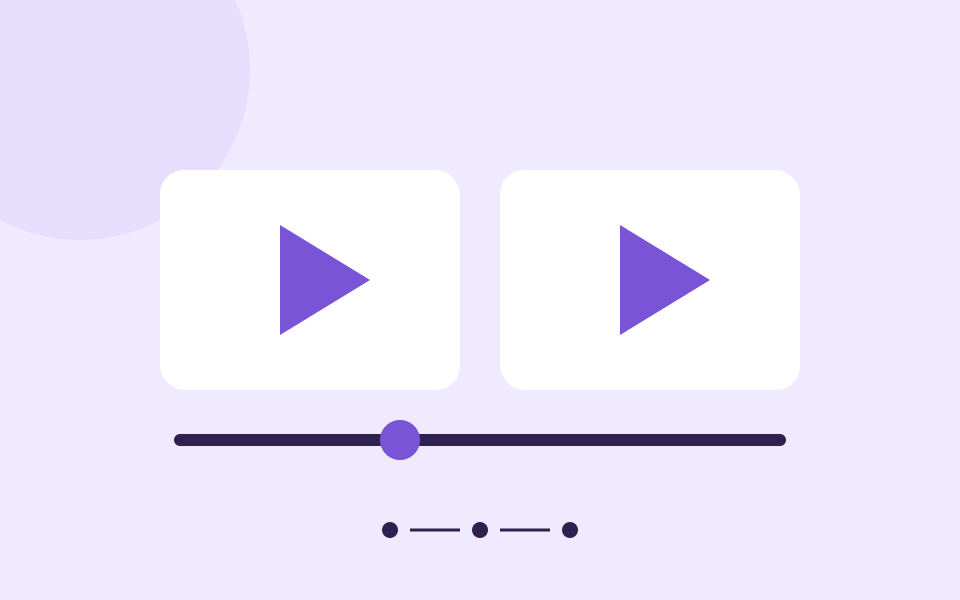
The diagram in this article illustrates a planning sequence, not a screenshot or benchmark. The durable workflow is to define the message, plan a small action, choose supported inputs, inspect the result and edit for the audience. Those decisions remain useful across tools and model versions.
Further reading
Official resources and related guides for the concepts discussed above. Check the selected tool for current capabilities and terms.
Take the next idea into a conversation
Explore Didloo for personal chats, creative sharing and linked desktop messaging. Business messaging has its own approved API workflow.