
AI Image Workflows
AI Image Upscaling: Resize Carefully and Verify Detail
An independent practical guide using a fictional example, with source references and review steps. Tool capabilities vary; this does not establish an integrated Didloo editing feature.
Define what the larger image must do
An image should be enlarged for a reason: a poster needs a different file from a small conversation preview. Before choosing an upscaler, write the intended display dimensions and the detail that matters. A bigger file is not automatically a better communication asset. It can make defects more visible, add unnecessary download weight or create a false impression of accuracy.
This guide uses a fictional community archive preparing an old photograph of a reading room for a display board. The organiser wants a legible, respectful presentation without inventing who attended or what the books said. The workflow is an editorial example, not a model benchmark. It does not claim that Didloo includes any particular enhancement service or that generated detail is historical evidence.
Find the best surviving source
Look for the original scan or camera file before processing a small preview. A larger source may already exist in an authorised archive, while a downloaded thumbnail may have passed through several rounds of compression. Keep the provenance and usage permission with the image, and preserve an unchanged copy before cropping or adjustment.
Inspect the source for different limitations. A small but sharp image, a blurred scan and a heavily compressed screenshot need different treatment. Write down what you can actually see rather than assuming that every soft region contains recoverable information. If the original is accessible, a better scan or photograph can be more useful than repeatedly enhancing a poor copy. Avoid uploading private archive material merely because an online tool offers an upload box.
Separate dimensions from authenticity
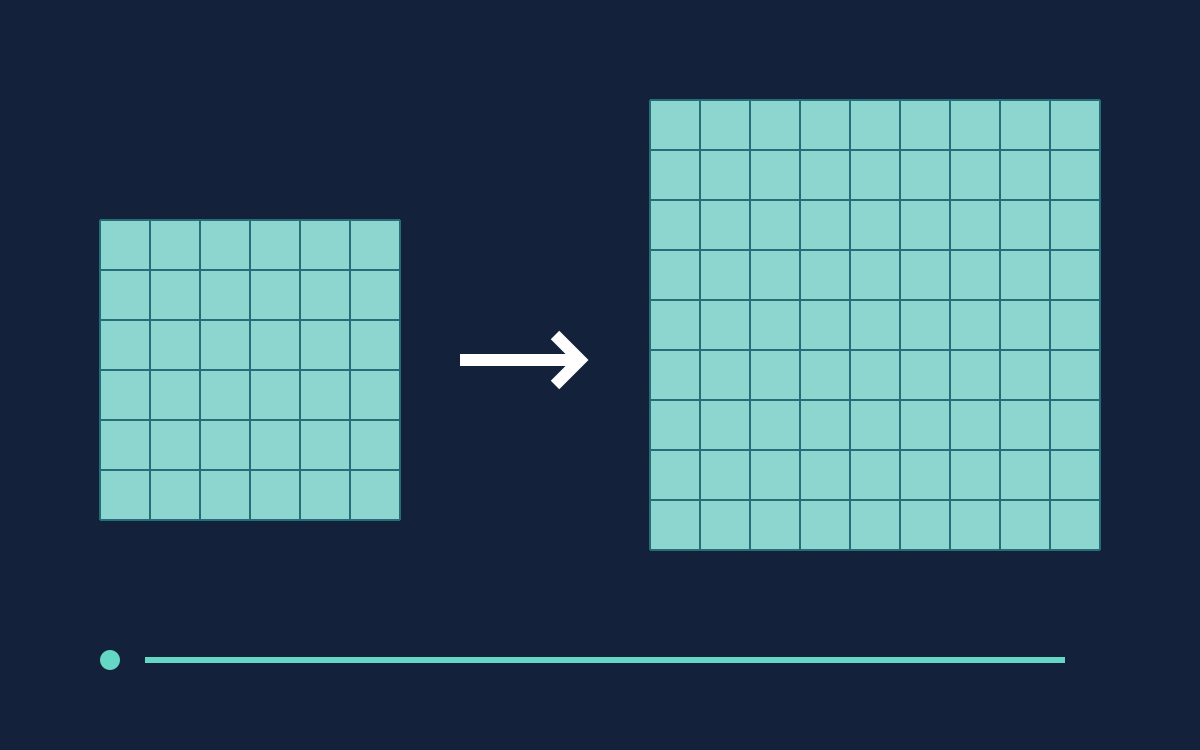
Pixel dimensions describe the image grid. Enlarging an 800 by 600 image to 1600 by 1200 doubles each side and produces four times as many pixels: 480,000 becomes 1,920,000. This arithmetic does not establish four times as much original information. The extra pixels must be estimated using some method.
A change to a print-resolution label is also different from creating a larger pixel grid. Check the actual output width and height rather than judging from a filename or a larger number in a metadata field. For the reading-room photograph, the important question is whether the larger display remains useful and honest. A crisp-looking new line on an old book cover cannot be assumed to reveal the cover's original lettering.
Understand what an AI estimate represents
Adobe's explanation of Super Resolution describes using machine learning to produce a higher-resolution image from a lower-resolution source. Its account is useful background for understanding model-based enlargement, but it documents a particular feature and historical release. Do not treat its settings or compatibility as a promise about another service today.
More generally, review any enhancement as a processed interpretation of the available input. Plausible texture can improve appearance without proving that the texture existed in the scene. Keep a source comparison available whenever the picture contains faces, text, product details or evidence-bearing marks. Choose restrained processing when the subject's identity or factual role matters more than decorative sharpness. An attractive result still needs editorial judgment about how it will be described.
Decide the target size before the attempt
Work backward from the real layout. If the display board needs a landscape photograph, choose its final crop and leave room for a caption. Do not enlarge a large surrounding margin only to discard most of it later. At the same time, preserve the full original so a different layout remains possible.
Read the selected tool's current supported input types, dimensions and output options. Tutorial examples do not establish an option in your account. Check any displayed cost before a paid request; this guide does not require buying a tool or submitting a generation. If the required dimensions are unavailable, reconsider the layout, use a smaller reproduction or obtain a better source. Unsupported settings are not a production plan.
Compare at equal viewing conditions
Place the source and enhanced candidate at comparable display sizes. Looking at a tiny source beside a large output can exaggerate the apparent improvement. First judge the whole image at the intended viewing size, then inspect selected regions closely. Keep the comparison method consistent across candidates.
For the archive photograph, choose a face, a book spine, a table edge and a dark wall as review areas. These represent different risks: identity changes, invented letters, geometric distortion and amplified noise. Record concrete observations such as “the glasses changed shape” or “the wall gained a repeating pattern.” Avoid turning those observations into an invented percentage of recovered detail. A useful comparison supports a decision; it does not need a fabricated scientific score.
Protect faces and other identifying detail
A sharper face can be less faithful if its expression, eye shape or features have changed. Compare the processed region with the source before assuming that a natural-looking face is an accurate reconstruction. If the source does not support identifying the person, enhancement alone should not become the basis for a confident identification.
For a community display, consider whether a smaller reproduction with a clear caption better respects the archive. Do not imply that processing has restored a person's exact appearance. Keep consent and archive-use conditions separate from image quality. A technical ability to enlarge a photograph does not authorise a new audience or a new use. When a detail cannot be checked, describe it cautiously or choose another image rather than making the visual more persuasive than the evidence allows.
Recreate exact typography separately
Book titles, signs and handwritten notes are particularly important review areas. If letters become readable only after AI processing, compare them with another reliable record before repeating them in a caption. A plausible word can be a generated interpretation. Do not transcribe it as newly established archival fact.
When the display needs an exact title or date, place verified wording in an editable caption beside the photograph. For a modern logo or diagram, find the authorised original vector or high-resolution source instead of treating an upscaled screenshot as the master. Manual recreation may be appropriate when the values and design are known, but label a reconstruction where that distinction matters. Separating readable information from illustrative texture often improves both accuracy and accessibility.
Avoid a chain of unnecessary transformations
Keep a record of major processing steps. Repeated enlargement, sharpening, denoising and lossy export can make it hard to understand which operation introduced a defect. Save the original and useful intermediate versions with clear names. Compare a new change with the last approved candidate rather than relying on memory.
Change one meaningful variable at a time when the interface allows it. If several settings change together, acknowledge that you cannot isolate their effects. Stop when a result meets the actual display need. The goal is not to make every surface maximally sharp. Excessive emphasis on texture can turn a quiet photograph into a distracting graphic. A smaller, cleaner and more honest presentation may be preferable to a dramatic enlargement that changes the subject.
Prepare a practical export
Keep an editable working version and a delivery file suited to the destination. MDN's format guide explains that image formats have different compression and transparency capabilities. The format choice should reflect the content and receiving system, not a blanket rule that one extension is always best.
Open the exact export after saving it. Check dimensions, visible detail and the caption relationship. Inspect the web or sharing-sized version too, because resizing for delivery can change how fine details appear. Do not send an unnecessarily large file when the destination will display only a small image. If the workflow re-encodes uploads, review its actual preview or received copy where permitted. An approved master and the file an audience receives are related assets, not automatically identical ones.
Explain the image and the processing
Write a caption that distinguishes the archival photograph from the enhancement. A simple note that the image was digitally enlarged can prevent readers from assuming they are looking at untouched original pixels. Do not use impressive technical language to imply forensic certainty or newly recovered facts.
W3C's informative-image guidance connects text alternatives to the purpose of the image in its context. For the display, describe the reading room and the relevant activity rather than listing every tiny processed texture. Keep the date and provenance in ordinary text where possible. An alternative description should not repeat an unverified interpretation of enhanced lettering. Accessibility and editorial accuracy work together when the useful meaning remains available without depending on a person's ability to inspect fine image detail.
Choose between enhancement and a better source
Before approving the final image, ask whether another source or layout would solve the problem more reliably. A fresh scan, an authorised larger file or a smaller framed reproduction may preserve more useful information than another attempt. This is a production choice, not a failure to use AI creatively.
Save the approved candidate, source, intended dimensions and a brief description of changes. Mark uncertain details and avoid presenting them as recovered truth. Keep private originals out of public handoff folders. The result should be a usable image whose limits are understandable to the next organiser. Successful upscaling means fitting a real communication need while preserving appropriate trust, rather than claiming that an algorithm has recreated every missing detail of the past.
Further reading
Official resources and related guides for the concepts discussed above. Check the selected tool for current capabilities and terms.
Take the next idea into a conversation
Explore Didloo for personal chats, creative sharing and linked desktop messaging. Business messaging has its own approved API workflow.