Information Technology
WhatsApp App Guide: Chats, Groups, Calls and Privacy Choices
WhatsApp is a messaging and calling service with individual conversations, group features and computer access described in its official product pages. Using it well involves choosing the right audience, understanding the available controls and checking what a message actually communicates. This independent guide uses a fictional residents' group to explore those decisions. Didloo is a separate platform, with no WhatsApp or Meta affiliation or WhatsApp transport. The examples do not demonstrate an app installation, account change, call or migration between the services.
Start with the conversation you need
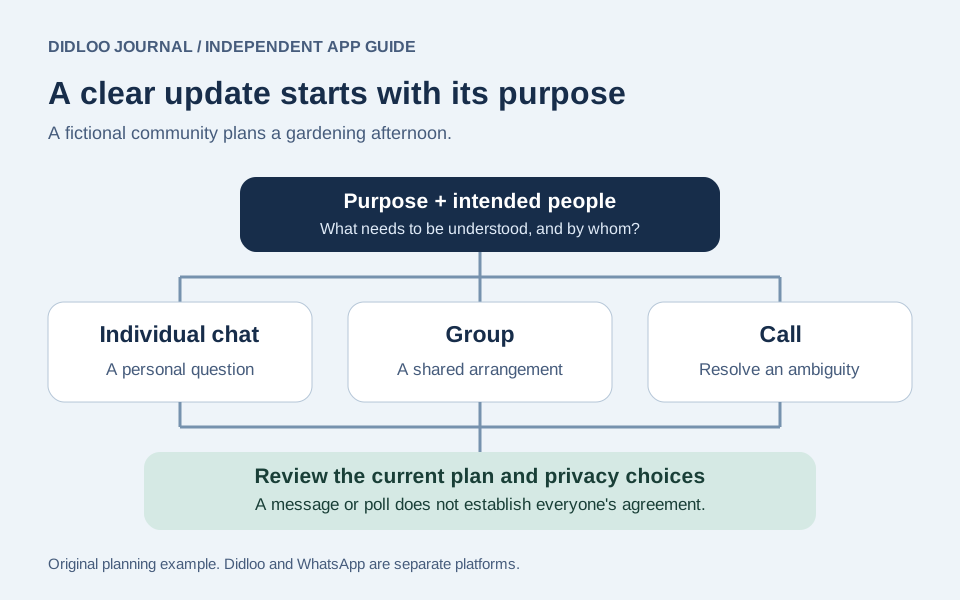
Maple Courtyard is a fictional residential community arranging a shared gardening afternoon. Some neighbours need practical event updates, while others want to discuss plants throughout the year. Those activities overlap, but they do not necessarily need the same audience or volume of messages.
Write the purpose before choosing the conversation format. The event discussion needs a date, meeting point and contact for questions. A continuing interest group may have a broader scope. This simple distinction gives participants a reason to understand where an update belongs. It also helps the organiser avoid treating the existence of a group as evidence that everyone has agreed to every future discussion. The useful outcome is clear communication among the people involved, rather than the largest possible collection of contacts in one place.
Understand the core messaging features
WhatsApp's messaging page describes text conversations, photos, files, voice notes and other expressive features. The current app and official help information should determine which controls apply to the device being used. This guide does not freeze a changing file-size limit or interface sequence into a permanent instruction.
For Maple Courtyard, choose the format that supports the actual update. A short written notice can state the meeting time, while a relevant photograph can identify a public gathering point. An expressive reaction may acknowledge a friendly comment but leave an operational question unanswered. Those are communication decisions, not an automatic interpretation supplied by the app. Keep the important instruction understandable on its own so that a participant does not need to decode several unrelated messages to discover what they are expected to do.
Obtain the app through official destinations
WhatsApp provides an official download destination and links to supported app experiences. Begin there when checking the appropriate software and current device requirements. Avoid relying on a forwarded package, an old article's compatibility table or a site that merely uses a familiar logo.
A resident preparing a new device should separate finding the legitimate destination from completing account access and reviewing existing information. This guide performs none of those actions. Its recommendation is to make the source clear before following an installation flow. If an update or account step is unclear, read the applicable current help rather than improvising from an unrelated phone's screenshots. A successful download also does not establish that a person's previous conversations or every optional feature are already available on the new setup.
Keep account verification personal
Verification information relates to account access, not to organising a neighbourhood activity. A person helping another resident navigate an app should not turn the group discussion into a place for exchanging private access codes. Use the service's actual account process and current official guidance.
In the fictional community, someone might offer to help an older neighbour find the correct destination. That support can explain where to look without requiring the neighbour to post credentials publicly. Distinguish a genuine account task from a message claiming that a code is needed to join an event. This is an original account-use recommendation, not a statement that the article verified a particular suspicious message. When uncertain, establish the sender and purpose through the existing trusted contact route instead of making urgency the reason to disclose access information.
Make voice messages easy to use
The official messaging overview includes voice notes and ways to work with them, with details available in the current product guidance. A voice recording can be useful when speaking is more convenient than typing. Decide whether the recipient can reasonably listen at that moment.
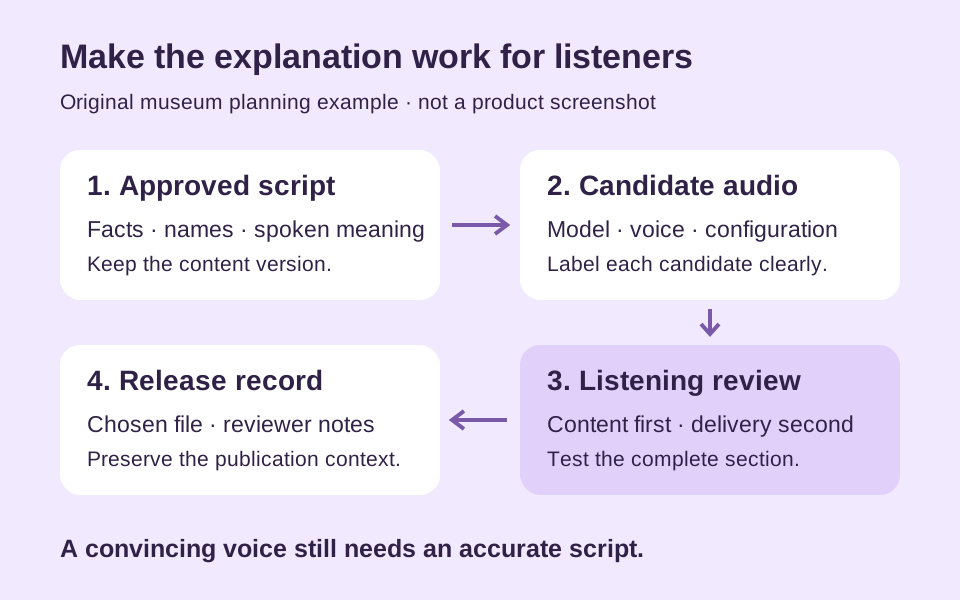
For the gardening afternoon, a resident could record a short explanation of which tools will be available. Put the essential time and meeting point in a clear written update as well if the group needs them easy to find. This is a suggested communication approach, not a guarantee about a transcription feature or a promise that every language is handled identically. Keep the recording focused and avoid capturing unrelated conversations nearby. The format should reduce effort for the listener rather than hide one important detail inside a long, meandering account.
Check media before sharing it
WhatsApp's product pages describe sharing pictures, video and documents. Review the actual selected item and the audience before sending. A file can be relevant while still containing more information than the intended conversation needs.
Maple Courtyard might share a photograph showing the courtyard entrance. Inspect the background and any visible personal details before using it as the group's reference. If a document includes unrelated residents' information, prepare an appropriate version through an ordinary editing process first. This is a general sharing recommendation, not a claim that the app automatically recognises every private detail or verifies the document's accuracy. Sending the wrong item to the right group can be just as confusing as sending the right item to the wrong conversation.
Choose an individual chat for individual matters
A shared event does not make every related question suitable for the whole group. Consider whether the people reading a message need its contents and whether a narrower conversation would make the exchange clearer. The audience decision is separate from how quickly a message can be composed.
A resident discussing a personal attendance constraint might prefer to contact the organiser directly. The organiser can then share only the necessary general update with the wider group. That is an original communication example, not a platform feature claim. It helps prevent a community channel from becoming a repository for information unrelated members did not need. Keep the distinction practical: the goal is not to hide useful event information, but to give each message the audience appropriate to its purpose.
Organise important information deliberately
WhatsApp's messaging page describes organisational features including chat filters and pinned messages. Consult the current app and help for the applicable options. Do not assume that pinning an item means every participant has understood or accepted it.
For Maple Courtyard, the useful question is whether people can identify the current gardening plan. A clearly labelled update can state what is confirmed and what remains a suggestion. If the organiser uses an available organisational control, keep the underlying text accurate when the plan changes. A tidy interface is not a substitute for editing an outdated instruction. This distinction also makes it easier for a person joining the discussion later to separate the final arrangement from the earlier conversation that led to it.
Give a group a clear scope
WhatsApp's group page presents shared messaging and group-management features. The controls available in the current app should be read alongside a clear explanation of the group's purpose. Technical membership and a useful shared understanding are different things.
The fictional gardening group could explain that it is for the specific afternoon's practical arrangements. A separate plant-interest discussion might continue afterward. Stating that scope makes ordinary decisions easier: where to ask a question, which updates need attention and when a discussion no longer belongs. This is a proposed organisational practice, not a rule imposed by WhatsApp or a claim about every participant's preference. Keep the scope understandable without assuming that adding a person automatically supplies the context they would have received by following the discussion from its beginning.
Use group decisions with realistic expectations
The official groups overview describes tools such as polls and events. Check their current behaviour before relying on a particular control for the community's process. A response recorded in a tool is evidence of that response, not a guarantee about what a person will do later.
Maple Courtyard might ask whether Saturday morning or Sunday afternoon is more convenient. The organiser still needs to state the final choice and explain any practical constraint that changed the decision. Keep the difference between gathering preferences and confirming an arrangement clear. This prevents a poll from becoming a misleading substitute for an actual event notice. The example does not claim that a poll was created or that the article measured participation; it explains how a group can interpret its own planning information responsibly.
Review group membership and invitations
The official group and privacy pages describe controls around who can add people and how groups are managed. Use the applicable current options rather than assuming every invitation should lead to the same audience. Review the purpose before expanding a conversation.
In the fictional courtyard, adding a new neighbour can require a short explanation of the event and the information already agreed. It should not require forwarding unrelated personal exchanges as an introduction. Think about what the new participant actually needs. This is a communication and account-use recommendation, not a claim that a group administrator can certify every member's identity. A familiar display name or picture can help recognition while still requiring ordinary judgement when someone asks for a sensitive or unexpected action.
Choose a call when it resolves ambiguity
WhatsApp's calling page describes voice and video conversations. Evaluate the current supported experience for the relevant device, and remember that network or data costs can depend on the user's own service. This guide makes no measured quality or universal connectivity claim.
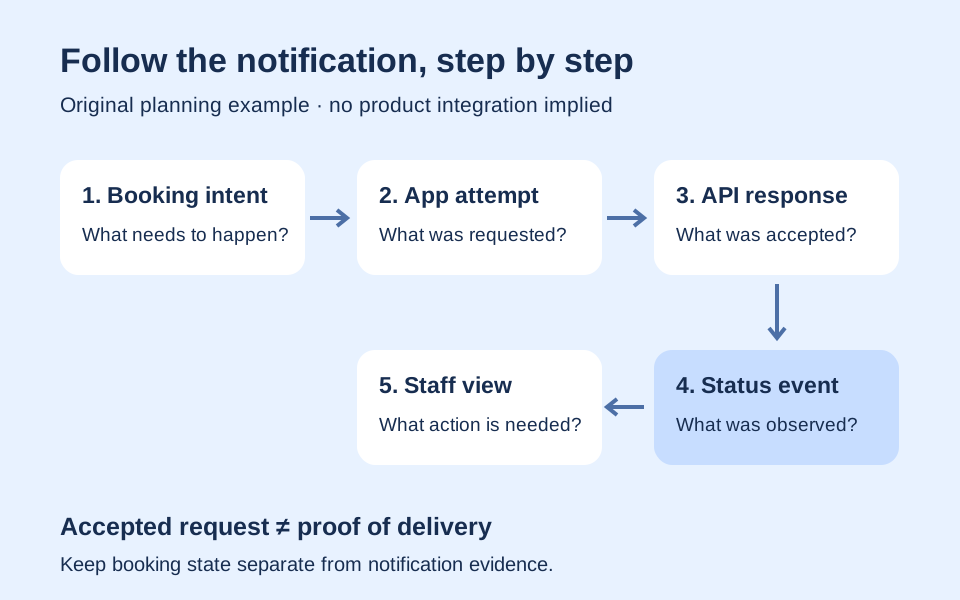
A brief call could help two organisers settle a question about the gardening equipment. Afterward, put the agreed practical outcome into the relevant event conversation so others can understand it. That is an original coordination method, not a promise that WhatsApp automatically produces meeting notes. A completed call and a shared group decision are separate stages. If the exchange was only attempted, describe it as an attempt rather than telling the community that agreement has been reached.
Use video with a useful visual purpose
A video conversation is most helpful when seeing a person or object adds something to the task. The official calling page discusses personal and group calling across its supported experiences. Check the relevant current app rather than applying an old device-specific assumption to every screen.
For Maple Courtyard, showing the public storage area might clarify which shared tools are available, provided the participants expect that interaction. Keep the surroundings appropriate and avoid assuming that everything visible should become a recorded or shared reference. This is an original planning example, not an assertion that any call was made or recorded. A useful visual conversation should make the next action clearer instead of adding detail that nobody needed to complete the arrangement.
Distinguish phone use from computer access
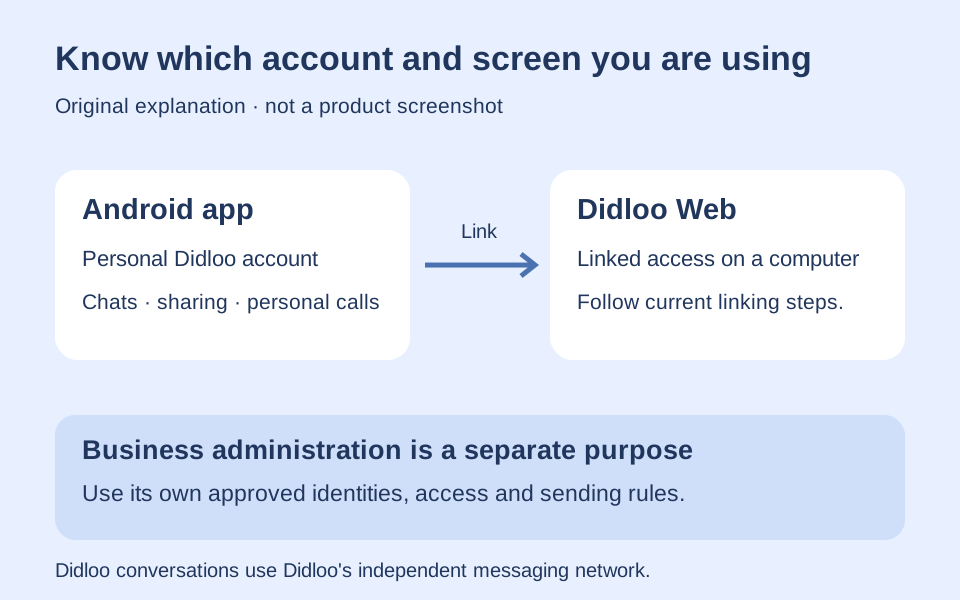
WhatsApp's official pages include web and desktop destinations. Use the current linked-device instructions for the intended setup rather than assuming a remembered sign-in flow still applies unchanged. A computer can be convenient for longer writing, but it remains an account access decision.
A courtyard organiser could use a private desk computer to prepare the final event update. Before composing, confirm the intended account and conversation. Consider who else can see or use the machine. This is a general account-use recommendation rather than a claim about a fixed session duration or number of allowed devices. The guide does not create a linked session, scan a code or promise that every browser and optional function behaves identically across all environments.
Look at linked access as an ongoing responsibility
Once someone uses more than one screen, they should understand which account access remains active and how to review it through the product's actual controls. Do not equate closing a window with a documented account-management action without checking the current interface.
The fictional organiser can make reviewing the chosen work environment part of preparing a community update. A personal laptop and a shared reception computer present different circumstances. Use the service's current guidance for the relevant situation rather than inventing a timeout or recovery promise. This is an original security habit, not a statement that a particular device in the example is compromised. The practical goal is to keep convenient access aligned with the person who is actually authorised to use the account.
Understand the personal-message encryption claim precisely
WhatsApp's official privacy information describes end-to-end encryption for personal messages and calls. It separately discusses additional privacy controls. Keep that source-specific claim scoped to the protected communication described, rather than turning it into an assertion that every activity or every stored copy has identical handling.
For the courtyard, a recipient still receives the information sent to them and can act on it. The organiser should choose the audience and content accordingly. This is a general observation about communication, not a claim to have audited WhatsApp's implementation. A useful understanding combines the published protection model with ordinary decisions about devices, recipients and sharing. Avoid using the word encrypted as a substitute for thinking about whether a particular person needed the information in the first place.
Review privacy choices for the actual audience
The official privacy page describes choices concerning visibility and contact, including profile and online information. Review the current settings available to the account and decide which fit the user's own circumstances. This article does not change those settings or prescribe one choice as correct for everyone.
In Maple Courtyard, someone may want to participate in an event conversation without making every profile detail equally visible to every contact. The appropriate decision depends on the real audience and the product's current controls. Keep that personal preference separate from the event organiser's need to communicate the schedule. This is an original decision example rather than a promise of anonymity. A readable guide should help someone find the relevant official information without pretending it can infer their preferred privacy level from membership in a group.
Treat backup choices as a separate question
WhatsApp's privacy page presents encrypted backups as an additional option for supported online backup storage. Read the applicable current help before changing a real backup or recovery configuration. Do not assume that a statement about personal-message transport automatically answers every question about recovery copies.
For a resident preparing a different phone, identify what information they need to preserve and which official process applies before removing an earlier setup. This guide performs no backup, deletion or migration. Its recommendation is to distinguish access to the account from preservation of the desired history. Keep recovery information appropriately protected and avoid making irreversible changes based on an old screenshot. The article does not guarantee that every conversation can be restored after any account, device or storage change.
Understand temporary messages as a feature with a scope
WhatsApp's privacy overview describes disappearing messages and other visibility-related controls. Consult the current feature-specific help before relying on an exact behaviour. A feature's stated operation should not become an unsupported claim about every possible copy, recipient action or external record.
Maple Courtyard should keep essential event arrangements understandable for the people who need them, regardless of whether an optional temporary-message setting is used. Do not choose a setting solely because its name sounds like a complete information-management policy. This is an original planning recommendation. The organiser still needs a sensible decision about what is shared and how an important confirmed arrangement can be found. The example does not enable a timer or claim that the guide tested deletion across all recipient devices.
Use unwanted-contact tools with clear purpose
WhatsApp's security page describes blocking and reporting options. Read the relevant official help for the situation rather than treating a message from an unfamiliar account as automatically trustworthy. The guide does not submit a report or make an accusation about a real person.
A fictional resident receiving an unexpected request for access information can pause and establish what the request is about through an existing trusted route. Keep private details out of any public discussion of the incident. This is general account-use advice, not a diagnosis of a specific scam or a claim that a tool prevents every harmful interaction. A useful response depends on the actual evidence and the available account controls, while preserving the distinction between asking for clarification and carrying out the requested action.
Keep English and Hindi meaning consistent
A bilingual group needs the same event facts to survive translation. Check the day, meeting point, required materials and next action in each version. Natural language may require different sentence order; identical line lengths are not a useful test of meaning.
For the gardening afternoon, the organiser can compare both versions against one approved event note. Pay particular attention to negatives and to the difference between a proposed time and a confirmed one. This is an original review exercise, not a claim of native-speaker certification or universal translation accuracy. If an optional translation feature is used, the important operational instruction still deserves review. The group should not treat a fluent sentence as proof that it says exactly what the organiser intended.
Separate personal messaging from a business integration
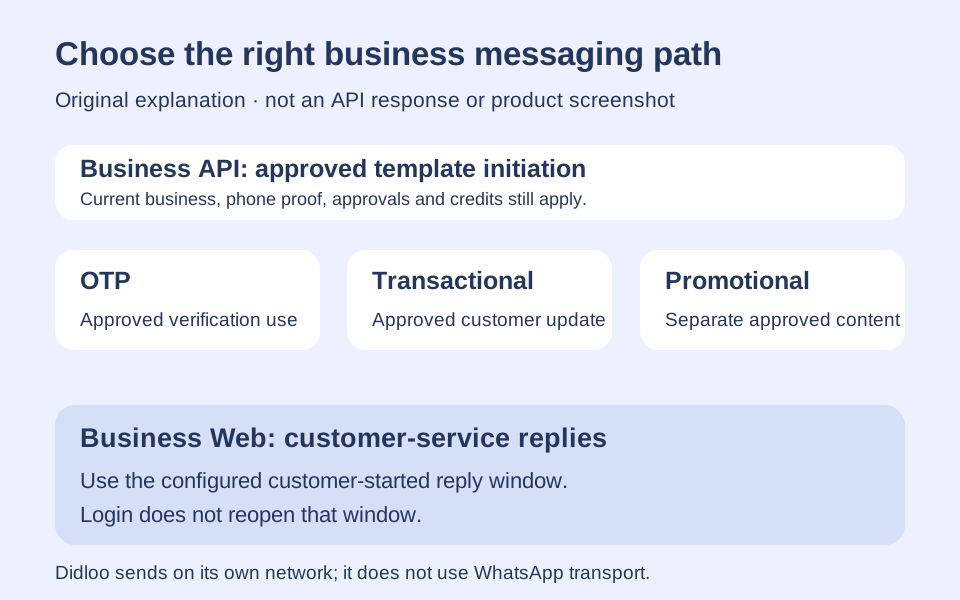
Using a consumer conversation is different from designing a business application's messaging workflow. Identify the relevant product and current official business documentation before making claims about automation, templates or API access. This guide focuses on the app experience and does not turn a personal account into a business API endpoint.
A courtyard member who runs a shop might need a separate evaluation for customer communications. The fact that neighbours use the messaging app does not answer the shop's onboarding, permission or integration questions. This is an original product-selection distinction, not a claim about any specific business account's eligibility. Keep the personal event conversation and the shop's customer process separate so that familiar chat interactions do not become an unexamined explanation for automated or unrelated messages.
Compare Didloo without inventing interoperability
Didloo's official comparison page identifies its own independent network and states that it does not send WhatsApp messages or advertise WhatsApp history import. That makes it a separate conversation destination to evaluate, rather than an implied bridge attached to WhatsApp.
If some fictional neighbours choose Didloo for another discussion, establish where that discussion will happen and which participants have joined. Do not promise that a chat opened on one service automatically appears on the other. Also avoid copying one product's privacy or device claims onto another. This is a practical comparison boundary, not a ranking or an assertion that one app suits every community. Evaluate each real workflow with the people who will use it and the current official information for that product.
Judge the workflow by what participants can understand
A useful evaluation asks whether the intended people can find the current plan, recognise which messages require action and use the selected conversation format. It does not need a fabricated popularity metric, a universal security promise or an untested device claim.
Maple Courtyard's successful outcome is a clear gardening arrangement and a group whose members know how to take part. The app provides communication tools, while the people supply the purpose, facts and judgement. Keep a record of any important agreed change in an understandable form, and use current official guidance when account or device questions arise. That approach supports a repeatable, honest evaluation without pretending that this fictional example is a measured deployment or that a single attractive demonstration proves every feature works for every user.
Further reading
Official resources and related guides for the concepts discussed above. Check the selected tool for current capabilities and terms.
Take the next idea into a conversation
Explore Didloo for personal chats, creative sharing and linked desktop messaging. Business messaging has its own approved API workflow.